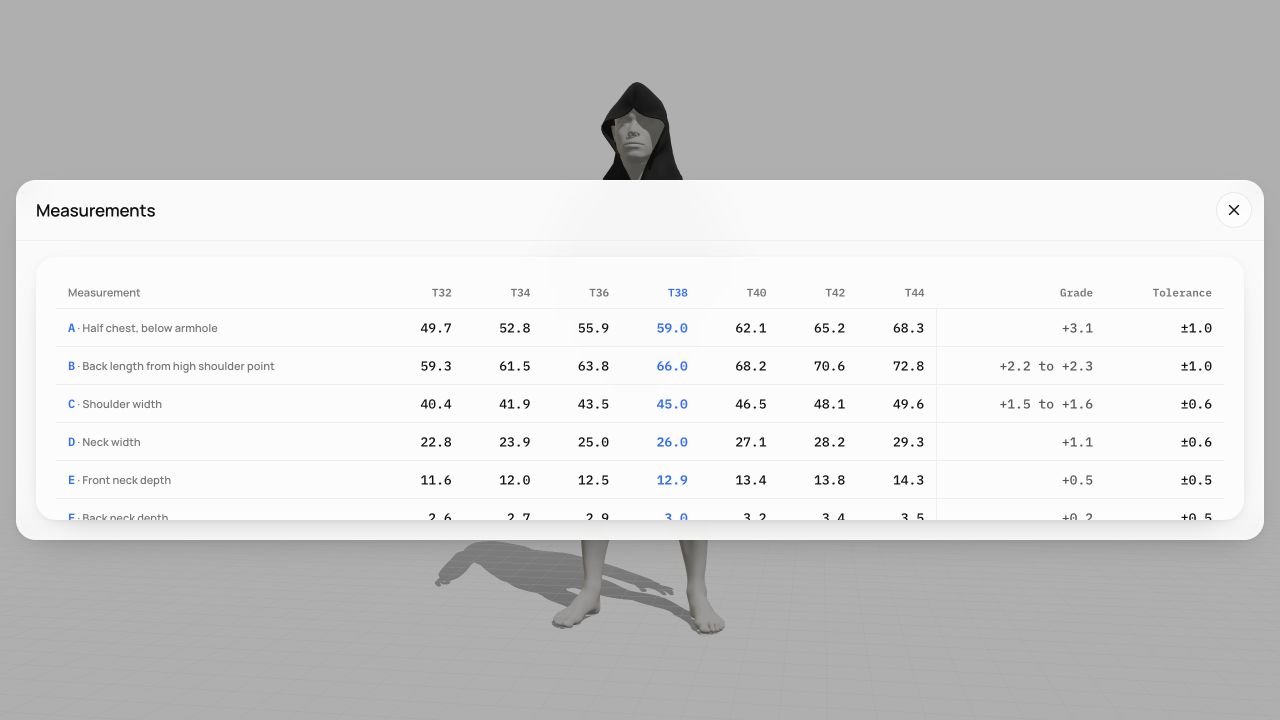
What should tech pack software help you manage?
A useful tech pack workflow keeps the style description, construction, materials, measurement chart and revisions understandable to everyone making the sample. The right approach depends on where that information comes from and how often it changes.
Three approaches to compare
| Approach | Starting information | What to check |
|---|---|---|
| Spreadsheet and drawing tools | Your drawings, measurements and material references | Ownership of each field, revision naming and consistency between files |
| Specification editor or PLM | Product information organized into a dedicated system | Version control, collaboration, output formats and the scope of the selected product |
| Garment design environment | A digital garment and its supported design parameters | Which specifications come from the model, which need human input, and which styles are supported |
These approaches can overlap. Techpacker’s current website presents Techpack Builder and PLMBR as separate products for specification editing and product lifecycle management. Check the selected product rather than relying on an older feature list. Techpacker’s current product overview.
Test a revision before choosing your tool
Take one garment and change a meaningful detail, such as the body length. Check the drawing, measurement chart, pattern information and material estimate that apply to your workflow. Record which fields update, which require review and which version your sample maker receives.
The goal is traceability. A clear manual process can work for a small project; a connected system can help when revisions and collaborators increase. Evaluate the actual workflow with your team.
Where Clothix fits
Clothix starts from a supported garment model and brings the 3D preview, construction, materials and technical details into one browser-based project. Explore the clothing design workflow and confirm the measurements, size options and output formats currently available in the application.
Dedicated factory handoff is marked Coming soon. Confirm how you will send information to your sample maker before planning a production handoff.
How should AI-assisted specifications be checked?
Generated text can help organize a draft or suggest questions to resolve. Treat any proposed measurement, material property or construction instruction as unverified until it is supported by the pattern, a defined measurement method, a supplier specification or a physical sample. A plausible number is not evidence.
Questions to ask before starting
- Does the tool support your garment’s construction and size range?
- Can you name points of measure and their tolerances clearly?
- Can the sample maker open the available outputs?
- Can you identify the revision and the changes since the last sample?
- Which parts of the workflow are included in the current plan?
Read the tech pack structure, build a measurement chart, or explore Clothix for ateliers and studios.